
Should You Use Your Cell Phone on a Cruise Ship?
Airplane mode first, questions later. Your phone works at sea, but without a plan you could come home to a $2,000 bill. Here's how carrier plans, eSIMs, and ship Wi-Fi actually compare.
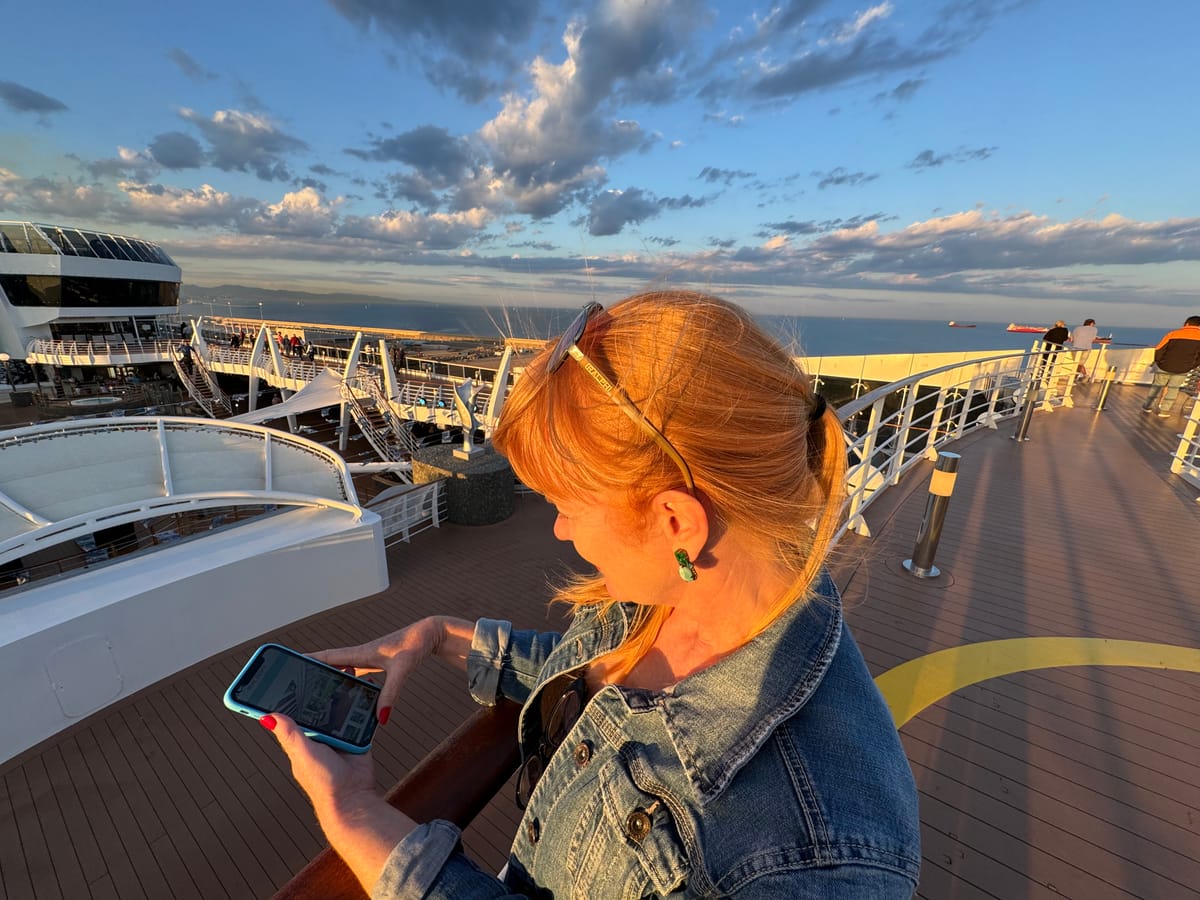
Your phone will work on a cruise ship. The real question is whether you can afford to let it. The short answer: put your phone in airplane mode before the ship leaves port, turn on Wi-Fi only, and use cellular selectively with a plan you've set up in advance. Without a plan, a single day of casual scrolling at sea can cost you hundreds of dollars.
At a Glance
✅ Use cellular, if: Your carrier offers a cruise-specific day pass ($10-20/day), you want the convenience of texting and calling without Wi-Fi apps, or you're getting an eSIM specifically for port days and sea coverage.
❌ Stick with ship Wi-Fi, if: You mostly need internet for streaming, social media, and messaging apps. Ship Wi-Fi (now Starlink-powered on most fleets) is faster and more predictable than cellular at sea, and you won't accidentally trigger roaming charges.
Don't Want to Think About Any of This? Do This.
If you'd rather not read a 2,000-word article about cellular networks, we get it. Here's the one-step version:
Before your cruise, buy a GigSky Cruise + Land eSIM. It's a digital SIM card you download to your phone (no store visit, no physical card). It works both on the ship and at every port. Plans start around $19, and a multi-gig plan for a 7-day cruise runs $30-50. Follow the setup instructions in their app, and your phone just works, on the ship, in port, everywhere.
Then turn on Low Data Mode. This stops apps from eating through your data in the background without you knowing. On iPhone: go to Settings > Cellular > Cellular Data Options > Data Mode > Low Data Mode. On Android: go to Settings > Network & Internet > SIMs > your eSIM > Low Data Mode (or "Data Saver" on some phones). This one setting can cut your background data usage by 50% or more.
That's it. You're covered at sea and on land, your data won't disappear overnight, and you can skip the rest of this article. If you want to understand the details and compare all your options, keep reading.
Wait, My Phone Gets Signal in the Middle of the Ocean?
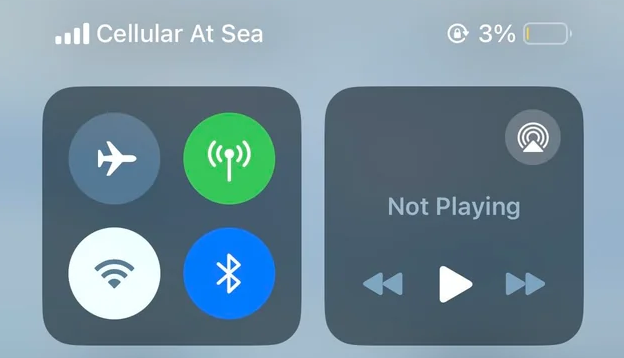
Yes, and that's exactly the problem. Cruise ships run their own cellular network called "Cellular at Sea," operated by a company called Wireless Maritime Services (WMS). Here's how it works: the ship has antennas that act as a floating cell tower. Your phone connects to that tower like it would on land, but instead of routing to a nearby city, the signal bounces up to a satellite and back down to shore. As of early 2026, this network operates on over 200 cruise ships, and it now supports 4G LTE and even 5G on some vessels.
The network automatically kicks in once you're about 12 miles from shore. Your phone will silently connect to it the same way it would roam onto a foreign carrier. And just like roaming in a foreign country, the rates are brutal if you don't have a plan: think $2-5 per minute for calls and $15-25 per megabyte of data. A single photo upload could run you $50 or more. One Carnival passenger came home to a $2,349 bill after making calls and using data casually for a week. A Royal Caribbean guest racked up $1,300 because they forgot to switch to airplane mode.
This is why "airplane mode first, questions later" is the golden rule of cruise ship phones.
What Does My Carrier Actually Offer for Cruises?
The good news is that all three major U.S. carriers now offer cruise-specific plans. The bad news is they're not cheap, and the details vary more than you'd expect. Here's what each one looks like as of early 2026.
AT&T: International Day Pass
AT&T simplified things in 2025 by retiring its old Cruise Basic, Cruise Plus, and Cruise Day Pass options. Now there's one product: the International Day Pass. It costs $20 per day at sea and includes unlimited talk and text plus 500 MB of data with no overage charges. If you use your phone both on land and at sea the same day, it's still $20 total. Land-only days cost $12. Additional lines on the same account are $6 each per day. The pass works on over 400 cruise ships. It's clean, predictable, and probably the best carrier option for most cruisers.
Verizon: Cruise Daily Pass
Verizon's Cruise Daily Pass is also $20 per day per line. You get unlimited talk and text, 500 MB of high-speed data, and then unlimited data at 3G speeds after that. You have to opt in before your cruise (don't forget this step). One thing that trips people up: Verizon's regular TravelPass ($10/day) does not work on cruise ships. TravelPass only covers land-based international roaming. When you're docked at a port, TravelPass kicks in at $10/day. When you're at sea, you need the separate Cruise Daily Pass at $20/day.
T-Mobile: The Complicated One
T-Mobile's cruise coverage is the least straightforward. If you have a Go5G Plus or higher plan, you get unlimited texting and calls at $5.99 per minute on supported ships. But here's the catch: there's no cruise-specific data plan. Cruise ships are explicitly excluded from T-Mobile's international data passes. That means your phone can call and text at sea, but it can't use cellular data. You'll need ship Wi-Fi or an eSIM for data. Also, T-Mobile warns that when your ship is docked at a U.S. port, your phone might still connect to the ship's network rather than local towers, so you could be charged cruise rates while sitting in port. Turn off roaming when docked.
Can I Use an eSIM on a Cruise Ship?
This is where things have gotten really interesting over the past year. eSIM providers have started offering plans that work on the Cellular at Sea network, giving you an alternative to both your carrier's cruise plan and the ship's Wi-Fi.
An eSIM is a digital SIM card built into most newer phones (iPhone XS and later, most recent Samsung Galaxy and Pixel devices). You download a data plan from a provider, activate it in your phone's settings, and your phone connects to supported networks. No physical SIM swap needed.
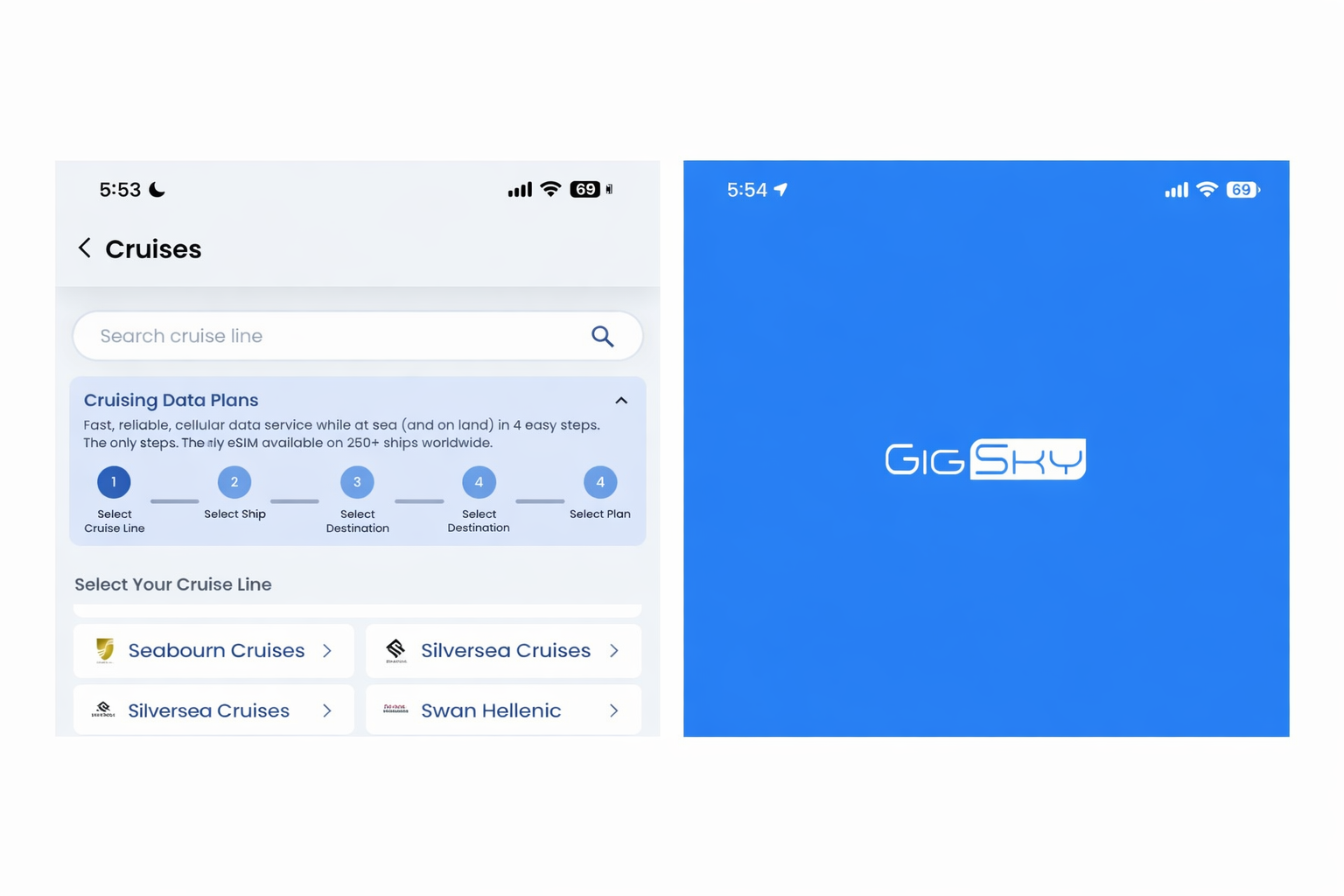
For cruises, the standout option is GigSky, which offers dedicated Cruise + Land eSIM plans that work on roughly 280 cruise ships through the Cellular at Sea network. Their plans start around $19 for 512 MB and scale up to 20 GB, with validity periods from 1 day to 120 days. They offer regional plans (Americas/Caribbean, Europe, Asia) and a global plan covering 128 countries. The real advantage is that one eSIM works both at sea and in port, so you don't have to juggle multiple connections.
For port days, you have several solid land-only eSIM options that won't work at sea but are much cheaper than carrier roaming when you're docked:
- Google Fi is worth a special mention. It's not a traditional eSIM provider but a full phone service from Google that includes international data at the same rate as domestic. It works in 200+ countries, calls run $0.20/min at port, and there's no separate "international plan" to activate. If you're already on Fi, your phone just works when you step off the ship. It won't connect to the maritime network at sea, but it's one of the simplest port-day options available.
- Roamless uses a pay-as-you-go model at roughly $2.45/GB, and here's the kicker: your credits never expire. Buy $20 of data before your cruise, use what you need at ports, and the rest sits in your account for your next trip, whether that's next month or next year. They cover 200+ destinations and offer in-app calling starting at $0.01/min. For occasional cruisers who don't want to think about plan expiration dates, this is hard to beat.
- Saily (from the team behind NordVPN) offers straightforward regional and country plans across 200+ destinations. It's data-only, so no native calls or texts, but the plans are competitively priced and the app is polished. Like the others, it's land-only and won't connect at sea.
None of these port-day options work on the maritime cellular network. For data at sea, your choices are GigSky's cruise eSIM or the ship's Wi-Fi. The smart play for most cruisers is to combine one of the port-day eSIMs above with ship Wi-Fi for sea days.
For a seven-day Caribbean cruise, a GigSky Cruise + Americas plan with a few gigs of data might run you $30-50 total, compared to $140 for seven days of AT&T's Day Pass or $140-175 for a week of ship Wi-Fi. The math gets compelling quickly.
What About Just Using Ship Wi-Fi?
Ship Wi-Fi has improved dramatically thanks to Starlink. Most major cruise lines completed their Starlink rollouts by early 2025, and over 600 ships now use it. Latency is down to around 30 milliseconds (compared to 600+ ms on the old satellite systems), and real-world speeds generally land in the 20-50 Mbps range even on busy sea days. That's fast enough for video calls, streaming, and everything short of downloading large files.
The downside is cost. Wi-Fi packages typically run $16-40 per device per day depending on the cruise line and tier. Disney's streaming-capable plan hit $49/day in 2026. Royal Caribbean hovers around $20/day. And these prices have been climbing, with multiple lines raising rates in the past year.
Wi-Fi also has a structural advantage over cellular at sea: the ship's Starlink antenna has a direct, high-bandwidth connection to the satellite constellation. Your phone's cellular signal, by contrast, goes through the ship's smaller cellular antenna and then up to a satellite. Wi-Fi will almost always be faster and more reliable than cellular data when you're in the middle of the ocean.
The flip side: Wi-Fi doesn't let you make or receive regular phone calls or SMS texts. You'd need to use apps like iMessage (over Wi-Fi), WhatsApp, or FaceTime. If you need to receive calls from, say, your kid's school or your doctor's office on your regular phone number, you'll need cellular service or a carrier Wi-Fi calling feature.
The Port Day Strategy: Where You Can Save Real Money
Here's where savvy cruisers cut their bills significantly. When your ship is docked, you're typically within range of local cell towers in whatever country you're visiting. This is where land-based eSIMs and international roaming plans shine.
If you have AT&T, your International Day Pass works on land for $12/day (compared to $20 at sea). Verizon TravelPass covers port days at $10/day. T-Mobile's international plans include free texting and low-speed data in most countries.
But the cheapest option by far is a travel eSIM. Roamless charges about $2.45/GB with no expiration, so you only pay for what you use. Saily offers regional plans across 200+ destinations. Google Fi users don't even have to think about it because their service just works at port. Any of these will cost you a fraction of what a carrier day pass charges.
The trick is simple: keep your phone in airplane mode with Wi-Fi off when you're at sea (unless you've bought ship Wi-Fi or a maritime eSIM). When you dock, turn airplane mode off, make sure your phone connects to the local land network (not the ship's cellular network), and use your eSIM or carrier plan. When the ship leaves port, go back to airplane mode.
One warning: your phone can sometimes grab the ship's Cellular at Sea network even while docked. Check your carrier name in the status bar. If it says "CellAt Sea" or "Maritime" or anything unfamiliar, you're on the ship's network. Turn off cellular data immediately and switch to the port's local network manually if needed.
Quick Cost Comparison: 7-Day Caribbean Cruise
Do nothing (no plan, roaming on): Potentially $500-2,000+ depending on usage. Don't do this.
AT&T International Day Pass (all 7 days): ~$140 ($20/day). Unlimited talk/text, 500 MB data/day.
Verizon Cruise Daily Pass (all 7 days): ~$140 ($20/day). Similar to AT&T, plus unlimited 3G after 500 MB.
Ship Wi-Fi (7-day package): ~$100-175 depending on cruise line and tier. Pre-cruise booking discounts can shave 20-30% off.
GigSky Cruise + Land eSIM: ~$30-50 for a multi-gig plan covering sea days and port days.
Google Fi (port days only): Data at US rates, calls $0.20/min. If you're already on Fi, there's nothing extra to buy for ports.
Port-day eSIM (Roamless/Saily) + ship Wi-Fi: ~$10-20 for port data + $100-175 for Wi-Fi package. Best combo for heavy data users.
Airplane mode + free port Wi-Fi only: $0. Surprisingly doable if you can handle the disconnect.
Our Recommended Setup (For Most Cruisers)
After comparing all the options, here's what we'd actually do on a seven-day cruise:
Before you board: Download a cruise-compatible eSIM (GigSky if you want coverage at sea and on land, or Roamless/Saily if you only need port days). Download offline maps for every port. Pre-download any shows, music, or podcasts you want. Tell your family how to reach you (WhatsApp, iMessage, etc.).
At sea: Keep your phone in airplane mode. If you bought a maritime eSIM, enable it for light data use. If you need heavier internet, buy the ship's Wi-Fi package (book it before the cruise for the discount). Don't bother with your carrier's $20/day cruise pass unless you specifically need to receive calls on your regular number.
In port: Disable airplane mode, connect to local networks via your eSIM, and enjoy fast, cheap data for maps, restaurant lookups, and sharing photos. This is where eSIMs pay for themselves many times over.
For families: Ship Wi-Fi packages often cover one device. If you've got four people who all want connectivity, four carrier day passes at $20 each ($80/day) adds up fast. A shared eSIM data plan or a single ship Wi-Fi login that you pass between devices is far more economical.
Fine Print You Need to Know
Background data is the silent budget killer. Even if you never open your phone, apps running in the background will pull data: email syncing, cloud photo backups, app updates, push notifications. On the Cellular at Sea network without a plan, this passive data use can cost you $50-100 per day. Always, always use airplane mode as your default at sea.
Wi-Fi calling can trigger cruise rates. If you make a Wi-Fi call through your carrier (not through an app like WhatsApp or FaceTime), your carrier may still apply maritime roaming rates. T-Mobile specifically warns about this. Use third-party apps for calls over Wi-Fi whenever possible.
Your phone might prefer the ship over the port. When docked, your phone can latch onto the ship's cell network instead of the local towers. Manually select the local carrier in your phone's network settings to avoid this. On iPhone, go to Settings > Cellular > Network Selection and toggle off automatic.
eSIMs require a compatible phone. If you're on an older device or a phone that doesn't support eSIM, your options are a physical local SIM card (bought at port) or sticking with carrier plans and ship Wi-Fi.
Satellite messaging isn't a full replacement. iPhone 14 and newer models have satellite SOS features, and iPhone 16 added satellite texting. These are for emergencies and basic messages, not for browsing or streaming. Useful as a safety net, but not a connectivity plan.
If you're weighing cellular against ship Wi-Fi, we break down Wi-Fi pricing, tiers, and Starlink speeds in our full guide: Should You Buy Cruise Ship Wi-Fi?
The Bottom Line
The days of choosing between a $3,000 phone bill and total disconnection are over. Between carrier cruise passes, eSIM providers like GigSky, and Starlink-powered ship Wi-Fi, you have real options now. Our advice: start with airplane mode, add connectivity in layers based on what you actually need, and never leave your phone on default roaming settings when you board. A little planning before you sail can save you hundreds of dollars and a very unpleasant conversation with your carrier when you get home.
Do you use your phone at sea or go Wi-Fi only? Share what worked (and what didn't) in the comments.